M6 iMac: Base vs. 12-Core Model and What the Higher Price Buys
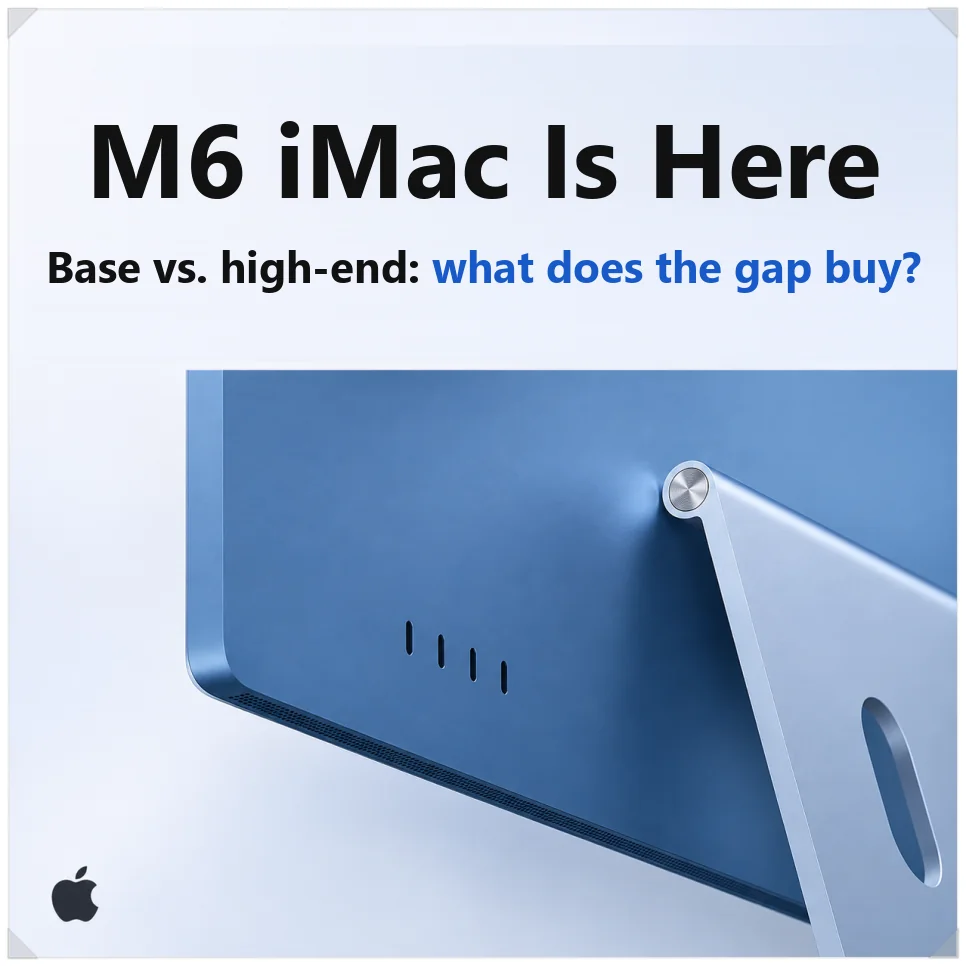
The M6 iMac is Apple’s 24-inch all-in-one rebuilt around the M6 chip, and it starts at $1,499 in the US. Apple says it handles AI workloads up to 5x faster than the M4 iMac. Orders opened Oct. 28, and the first units arrive Nov. 6.
The bigger decision for buyers is which of the two models to get. The 12-core version costs more, and the difference changes the port count, the keyboard and how many external monitors you can connect. This guide walks through those differences and what else changed with M6.
Base vs. 12-core M6 iMac: what the higher price buys
The M6 iMac comes as a 10-core base model and a 12-core model, priced at $1,499 and $1,699 in Apple’s US announcement. College students and staff get education pricing of $1,449 and $1,599. Beyond CPU and GPU cores, the two differ in ports and in what comes in the box.
| Spec | 10-core model | 12-core model |
|---|---|---|
| US price | $1,499 | $1,699 |
| Education price | $1,449 | $1,599 |
| CPU / GPU | 10-core / 10-core | 12-core / 12-core |
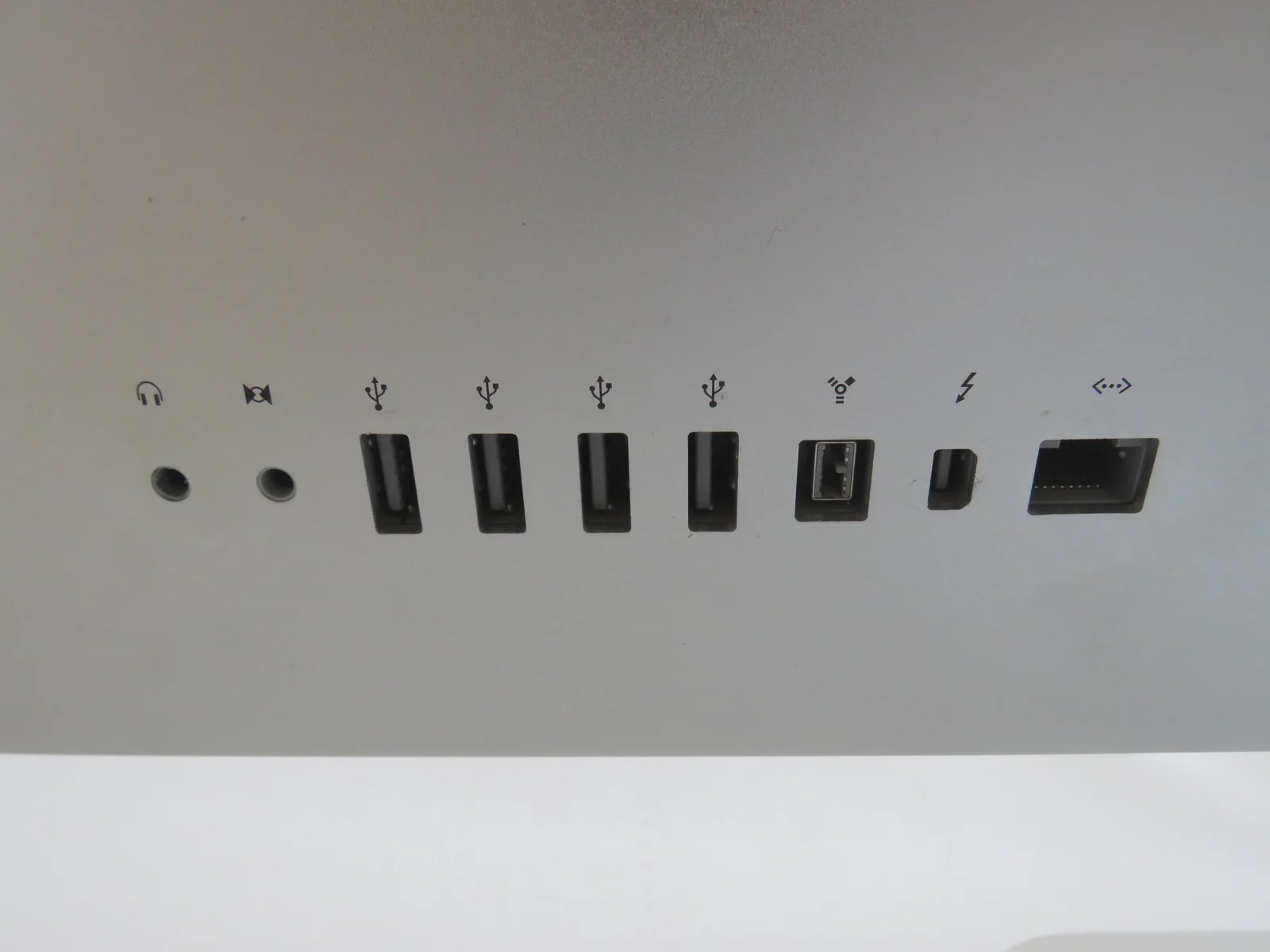
| Thunderbolt ports | 2 (Thunderbolt / USB 4) | 4 (Thunderbolt 4) |
| 2.5Gb Ethernet | Extra-cost option | Included |
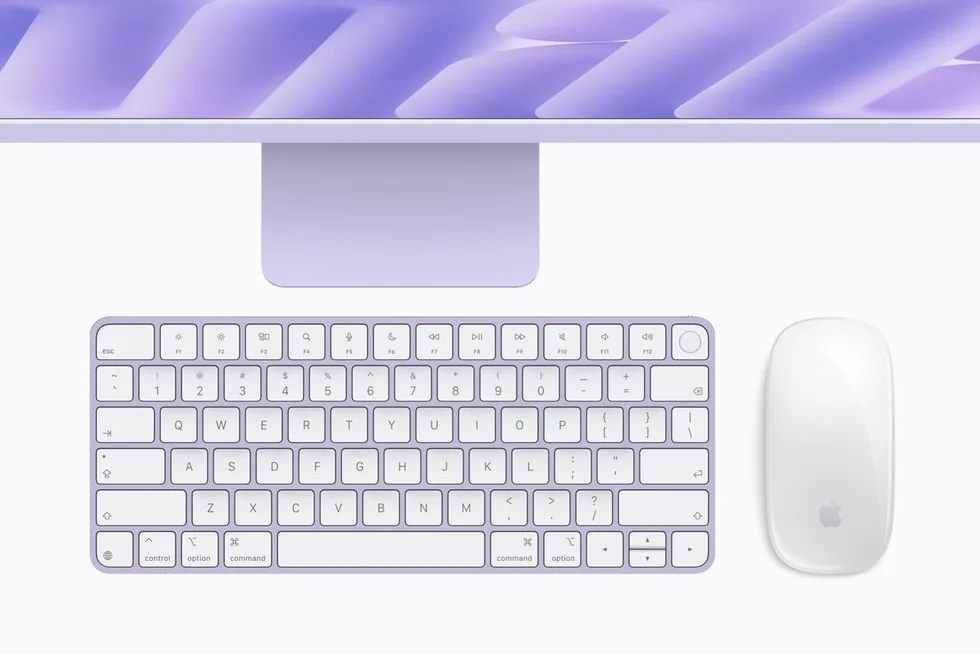
| Keyboard | Magic Keyboard (no Touch ID) | Magic Keyboard with Touch ID |
| External displays | One, up to 6K at 60Hz | Two up to 6K at 60Hz, or one up to 8K |
| Nano-texture glass | Not available | Optional |
| Memory / storage | 16GB / 256GB, up to 24GB / 1TB | 16GB / 256GB, up to 32GB / 2TB |
The base model has only two Thunderbolt ports, so one external SSD and one extra monitor use them both. Wired 2.5Gb Ethernet, built into the power adapter, is an extra-cost option on this model. The included Magic Keyboard has no fingerprint reader, though Apple’s iMac spec sheet lists Touch ID as a build-to-order option for the base model.
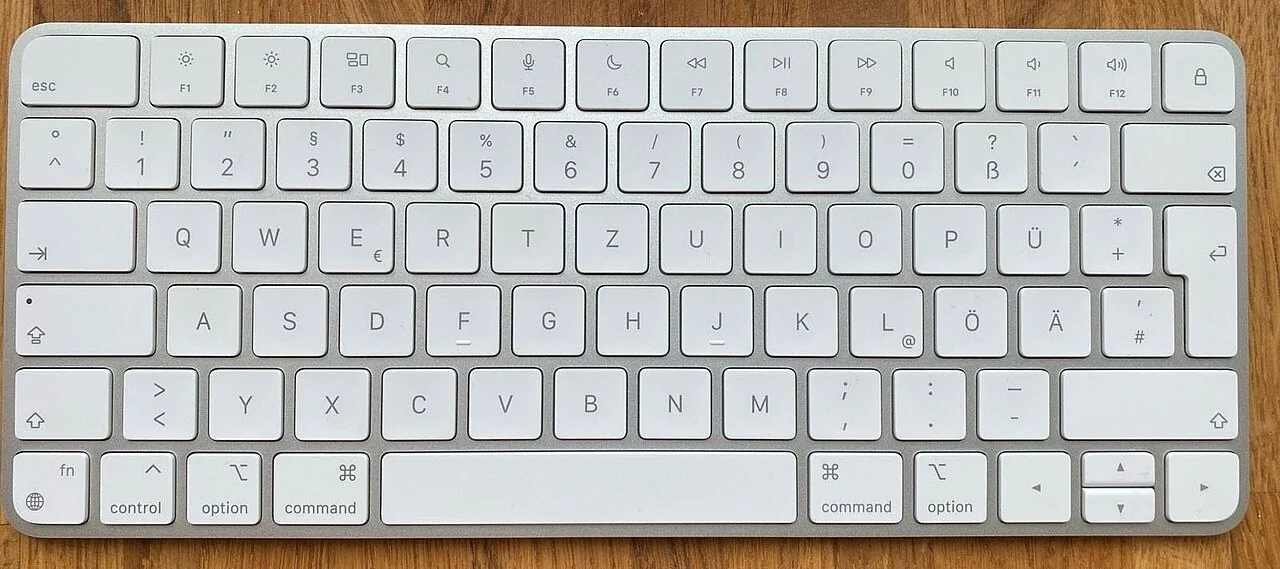
The 12-core model has four Thunderbolt 4 ports, so several accessories can stay plugged in. 2.5Gb Ethernet and the Touch ID keyboard come standard.
It also runs two external monitors and offers nano-texture glass, which cuts screen glare. For documents and web browsing the base model is enough. If you rely on external monitors and drives, the 12-core model is the more convenient pick.

What’s new in the 2nm M6 chip
M6 is made on TSMC’s 2nm process, which Apple describes as cutting-edge 2nm technology. It uses gate-all-around (GAA) nanosheet transistors to improve power efficiency.
The CPU layout changed as well. M4 split its cores into performance and efficiency cores, while the 12-core M6 has 2 super cores, 4 performance cores and 6 efficiency cores. The 10-core base chip has 2, 3 and 5, per Apple’s iMac tech specs.
Super cores take tasks that need a sudden burst of speed, performance cores handle complex computation, and efficiency cores run light background work. Sending each job to the right core raises both performance and power efficiency.
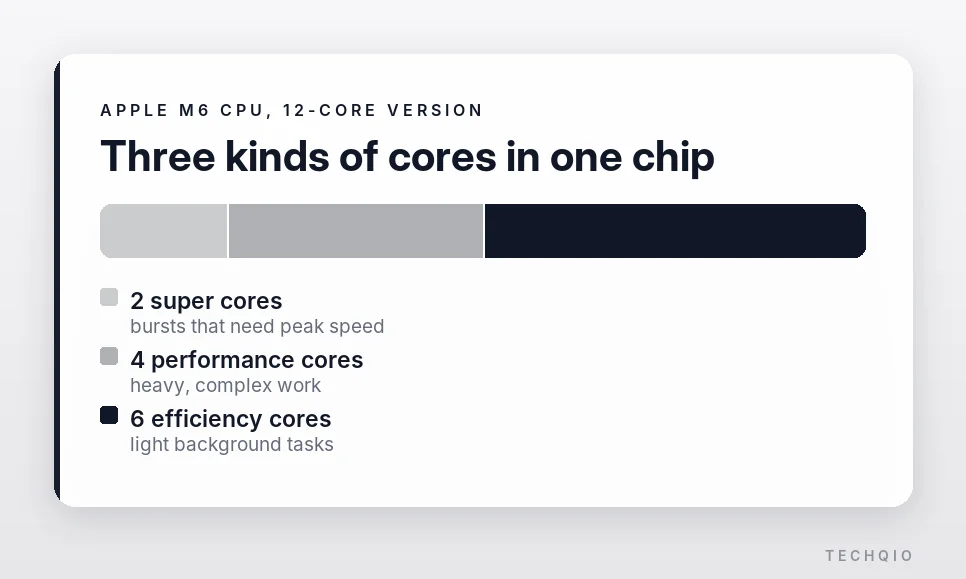
The GPU has up to 12 cores, each with a Neural Accelerator. The Neural Engine that runs AI tasks grows from 16 cores to a dual 16-core design, 32 cores in all.
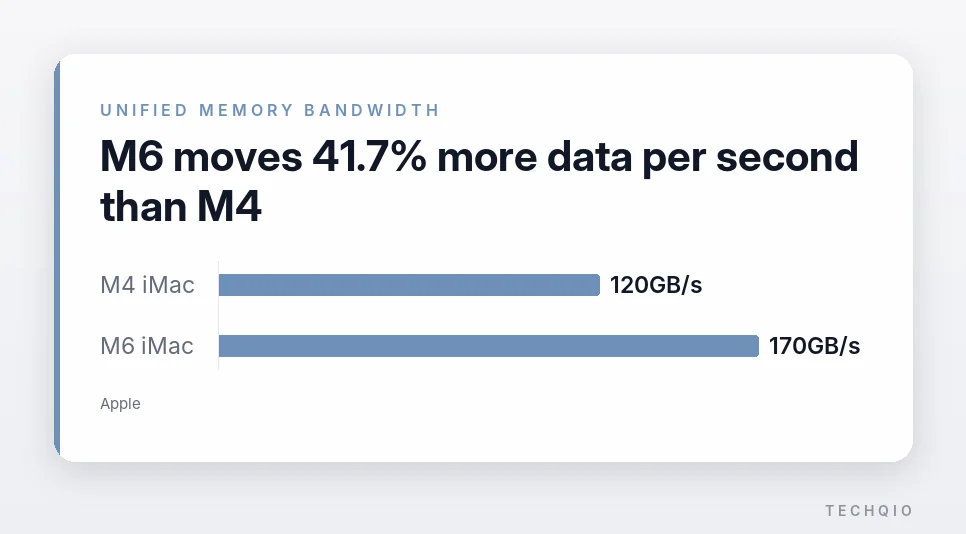
Unified memory bandwidth climbs from 120GB/s on the M4 iMac to up to 170GB/s, a 41.7% increase. With PCIe 5.0, SSD read and write speeds are up to 2x faster, and the iMac now supports Wi-Fi 7 and Bluetooth 6.
What “up to 5x faster AI” really measures
Apple says the M6 iMac processes long prompts in LM Studio up to 5x faster than the M4 model. That doesn’t mean every AI task runs 5x faster. Analyzing the prompt you type can lean heavily on the Neural Accelerators. Generating the answer also depends on how fast data moves out of memory.
M6’s memory bandwidth is 41.7% higher. Actual response speed still depends on the AI model and its settings, and it doesn’t rise in step with the extra bandwidth.
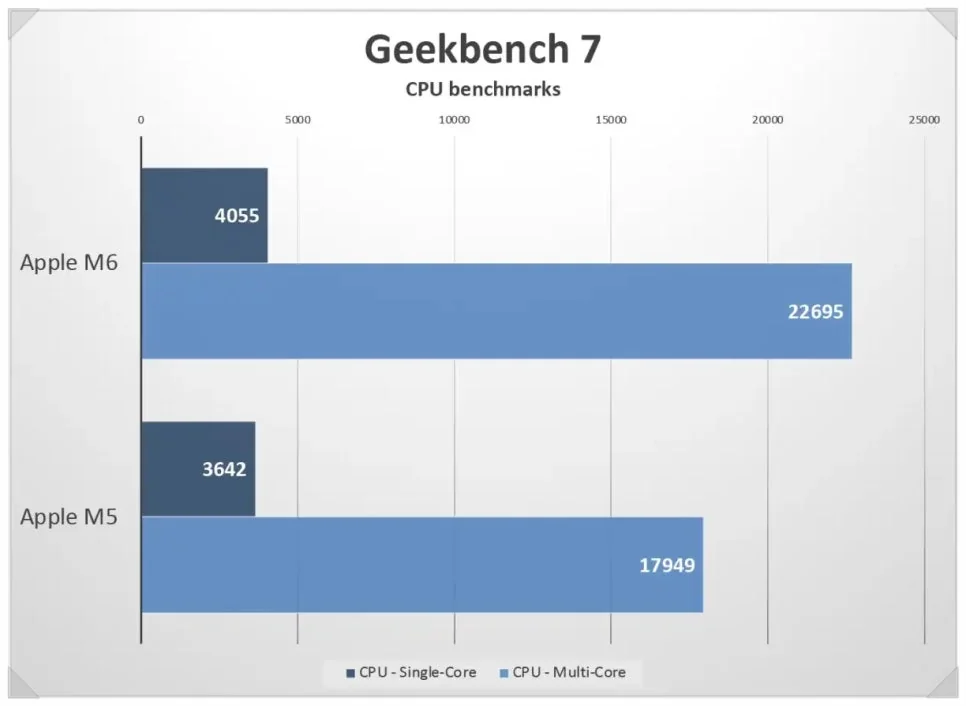
For everyday work, the Geekbench 7 chart below puts M6 about 26% ahead of M5 in multi-core performance. That is close to Apple’s own multithreaded comparison with M5.
Apple also claims up to 2x faster photo editing in Affinity and up to 1.5x faster large Excel formula calculations. The 5x AI figure comes from one specific test, so how much faster the iMac feels depends on the apps you use.
M6 iMac vs. Mac mini and MacBook Pro
The Mac mini costs less for the computer itself, but you have to supply your own monitor, speakers and camera.
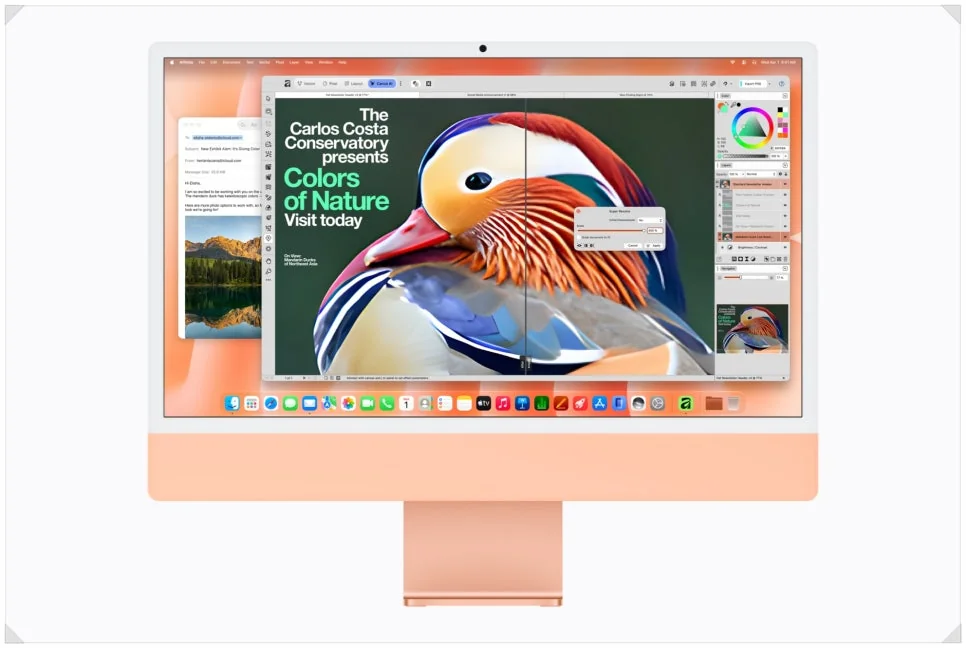
The iMac includes a 24-inch 4.5K Retina display with 500 nits of brightness and P3 wide color. It adds a six-speaker system and a 12MP Center Stage camera. You need less extra gear, and the desk stays tidy.

The 14-inch M6 MacBook Pro is far more portable and has a Liquid Retina XDR display. But it starts at $1,999 according to Apple’s 14-inch MacBook Pro with M6 announcement, well above the base iMac’s $1,499. Our M6 MacBook Pro vs. M5 price and spec comparison covers that laptop in detail. If you often work on the move, the MacBook Pro is the easier choice. If you mostly work at home or in an office, the iMac makes good sense.
With the iMac you never worry about battery life, and it uses a cooling design built for a desktop. Heat and fan noise during long video edits or 3D work will still depend on your setup.

Should you upgrade from an older iMac?
If you’re still on an Intel-based iMac or the 2021 M1 iMac, the new model is worth a look. Apple rates specific AI tasks at up to 18x faster than the Intel model. They run up to 12x faster than M1, with graphics more than 3x faster. Coming from an old iMac, you’ll notice the difference launching apps and editing photos and video.
If you have an M4 iMac, there’s no need to rush. The 24-inch 4.5K display and the design are unchanged, and for documents and streaming video the older model is plenty. If you run local AI models or edit photos and video often, though, the M6’s extra performance can help.
Which model should you buy?
Buy an iMac if you want one clean machine on the desk instead of a computer plus a separate monitor, camera and speakers. Coming from an Intel or M1 iMac, either model is a big step up. M4 owners can wait unless they run local AI models or edit photos and video often.
Between the two, the difference is more than two extra cores. The 10-core model at $1,499 ($1,449 with education pricing) covers a single monitor and a few accessories. But it tops out at 24GB of memory and 1TB of storage. The 12-core model at $1,699 ($1,599 for education) is the one to get if you run two monitors or several drives. It also suits you if you want Touch ID and Ethernet in the box, or may need 32GB and 2TB later.